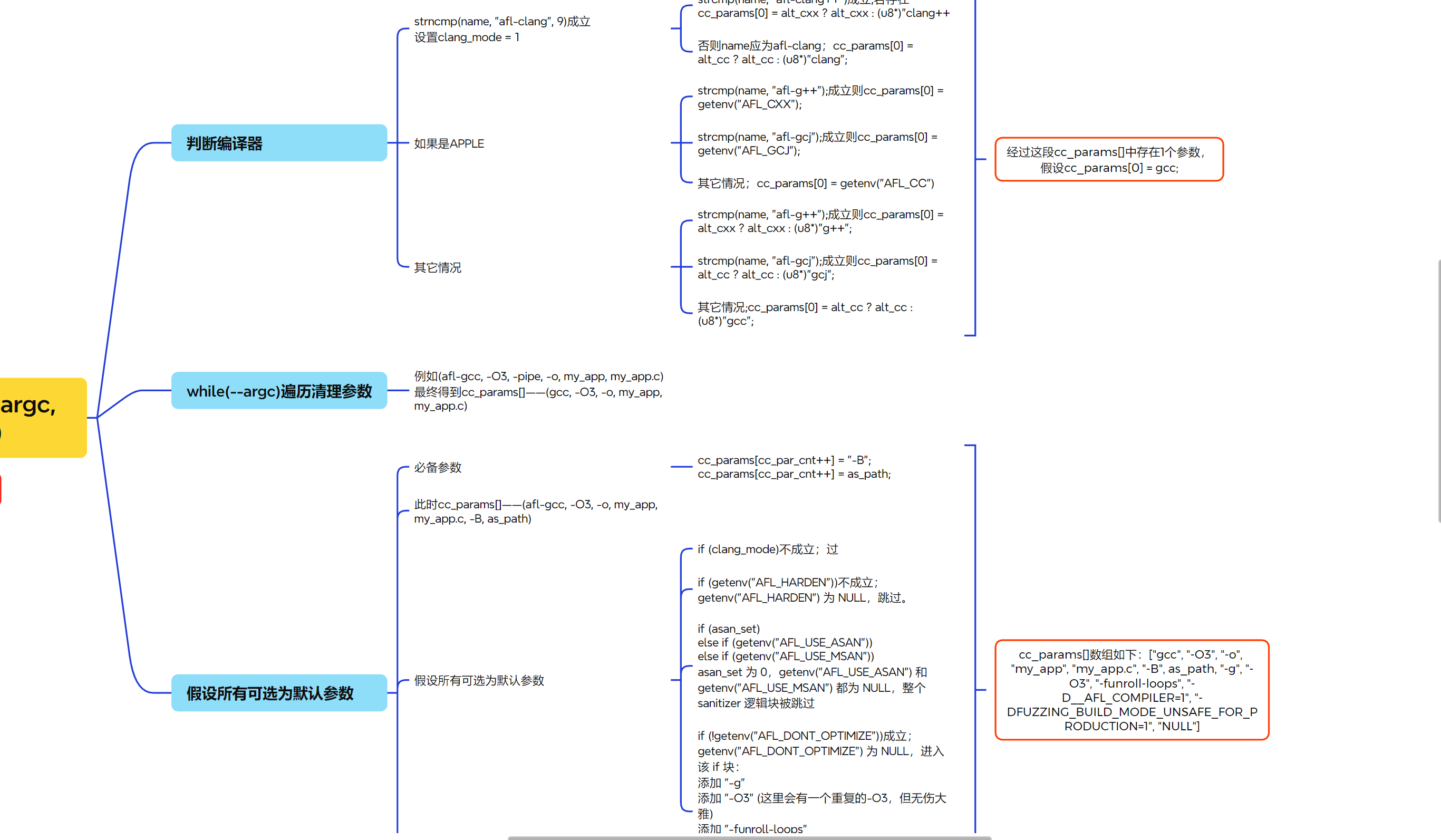
if (isatty(2) && !getenv("AFL_QUIET")) { SAYF(cCYA "afl-cc " cBRI VERSION cRST " by <lcamtuf@google.com>\n");
} else be_quiet = 1;
if (argc < 2) {
SAYF("\n" "This is a helper application for afl-fuzz. It serves as a drop-in replacement\n" "for gcc or clang, letting you recompile third-party code with the required\n" "runtime instrumentation. A common use pattern would be one of the following:\n\n"
"You can specify custom next-stage toolchain via AFL_CC, AFL_CXX, and AFL_AS.\n" "Setting AFL_HARDEN enables hardening optimizations in the compiled code.\n\n", BIN_PATH, BIN_PATH);
/* With GCJ and Eclipse installed, you can actually compile Java! The instrumentation will work (amazingly). Alas, unhandled exceptions do not call abort(), so afl-fuzz would need to be modified to equate non-zero exit codes with crash conditions when working with Java binaries. Meh. */
SAYF("\n" cLRD "[-] " cRST "On Apple systems, 'gcc' is usually just a wrapper for clang. Please use the\n" " 'afl-clang' utility instead of 'afl-gcc'. If you really have GCC installed,\n" " set AFL_CC or AFL_CXX to specify the correct path to that compiler.\n");
/* On 64-bit FreeBSD systems, clang -g -m32 is broken, but -m32 itself works OK. This has nothing to do with us, but let's avoid triggering that bug. */
if (!clang_mode || !m32_set)// 如果没有设置clang模式或者没有设置-m32参数,进入分支 cc_params[cc_par_cnt++] = "-g";
SAYF(cCYA "afl-as " cBRI VERSION cRST " by <lcamtuf@google.com>\n"); } else be_quiet = 1;
if (argc < 2) {
SAYF("\n" "This is a helper application for afl-fuzz. It is a wrapper around GNU 'as',\n" "executed by the toolchain whenever using afl-gcc or afl-clang. You probably\n" "don't want to run this program directly.\n\n"
"Rarely, when dealing with extremely complex projects, it may be advisable to\n" "set AFL_INST_RATIO to a value less than 100 in order to reduce the odds of\n" "instrumenting every discovered branch.\n\n");
if (inst_ratio_str) {//如果环境变量AFL_INST_RATIO存在则进入该分支
if (sscanf(inst_ratio_str, "%u", &inst_ratio) != 1 || inst_ratio > 100) //如果没有将覆盖率写入inst_ratio变量或者inst_ratio中的值超过100的话,则进入分支抛出异常 FATAL("Bad value of AFL_INST_RATIO (must be between 0 and 100)");
}
if (getenv(AS_LOOP_ENV_VAR))//如果环境变量AS_LOOP_ENV_VAR存在则进入该分支 FATAL("Endless loop when calling 'as' (remove '.' from your PATH)");//抛出异常
/* When compiling with ASAN, we don't have a particularly elegant way to skip ASAN-specific branches. But we can probabilistically compensate for that... */
if (!just_version) add_instrumentation();//如果不是只查询version,那么就会进入add_instrumentation函数,该函数主要处理输入文件,生成modified_file,将桩插入适当的位置
if (!(pid = fork())) {//调用fork()创建子进程。在执行execvp()函数执行时
execvp(as_params[0], (char**)as_params);//执行命令和参数 FATAL("Oops, failed to execute '%s' - check your PATH", as_params[0]);//不成功抛出异常
}
if (pid < 0) PFATAL("fork() failed");//如果创建子进程失败,抛出异常
if (waitpid(pid, &status, 0) <= 0) PFATAL("waitpid() failed");//等待子进程结束
if (!getenv("AFL_KEEP_ASSEMBLY")) unlink(modified_file);//读取环境变量AFL_KEEP_ASSEMBLY失败,则unlink掉modified_file文件 //设置该环境变量主要是为了防止afl-as删掉插桩后的汇编文件,设置为1插桩文件 exit(WEXITSTATUS(status));
/* Examine and modify parameters to pass to 'as'. Note that the file name is always the last parameter passed by GCC, so we exploit this property to keep the code simple. */
/* On MacOS X, the Xcode cctool 'as' driver is a bit stale and does not work with the code generated by newer versions of clang that are hand-built by the user. See the thread here: http://goo.gl/HBWDtn. To work around this, when using clang and running without AFL_AS specified, we will actually call 'clang -c' instead of 'as -q' to compile the assembly file. The tools aren't cmdline-compatible, but at least for now, we can seemingly get away with this by making only very minor tweaks. Thanks to Nico Weber for the idea. */
if (clang_mode && !afl_as) {//如果是clang模式并且环境变量AFL_AS不存在 则进入该分支
use_clang_as = 1;//设置变量use_clang_as的值为1
afl_as = getenv("AFL_CC"); if (!afl_as) afl_as = getenv("AFL_CXX"); if (!afl_as) afl_as = "clang";//将afl_as赋值为AFL_CC、AFL_CXX或者clang中的一种
}
#endif/* __APPLE__ */
/* Although this is not documented, GCC also uses TEMP and TMP when TMPDIR is not set. We need to check these non-standard variables to properly handle the pass_thru logic later on. */
if (!tmp_dir) tmp_dir = getenv("TEMP"); if (!tmp_dir) tmp_dir = getenv("TMP"); if (!tmp_dir) tmp_dir = "/tmp";//为tmp_dir赋值为环境变量TMPDIR、TEMP、TMP或者/tmp中的一种
if (input_file[1]) FATAL("Incorrect use (not called through afl-gcc?)");//如果input_file不是-version则抛出异常 else input_file = NULL;
} else {//如果首字母不是-
/* Check if this looks like a standard invocation as a part of an attempt to compile a program, rather than using gcc on an ad-hoc .s file in a format we may not understand. This works around an issue compiling NSS. */
if (outfd < 0) PFATAL("Unable to write to '%s'", modified_file);//如果没有写的权限则抛出异常
outf = fdopen(outfd, "w");//尝试打开
if (!outf) PFATAL("fdopen() failed");//打不开抛出异常 /*------------------------插桩核心代码-----------------------------*/ while (fgets(line, MAX_LINE, inf)) {//循环读取inf指向的文件的每一行到line数组中,每行最多MAX_LINE(8192 bytes),这个值包括’\0’,所以实际读取的有内容的字节数是MAX_LINE-1个字节。
/* In some cases, we want to defer writing the instrumentation trampoline until after all the labels, macros, comments, etc. If we're in this mode, and if the line starts with a tab followed by a character, dump the trampoline now. */
/* Output the actual line, call it a day in pass-thru mode. */
fputs(line, outf);
if (pass_thru) continue;//如果 pass_thru 标志被设置,意味着 afl-as 认为这个文件不应该被插桩。它会立即 continue,变成一个纯粹的文件复制程序
/* All right, this is where the actual fun begins. For one, we only want to instrument the .text section. So, let's keep track of that in processed files - and let's set instr_ok accordingly. */ //首先我们只想对.text段进行插桩,所以我们需要跟踪处理过的文件,并相应地设置instr_ok。
if (line[0] == '\t' && line[1] == '.') {
/* OpenBSD puts jump tables directly inline with the code, which is a bit annoying. They use a specific format of p2align directives around them, so we use that as a signal. */ //OpenBSD将跳转表直接内联到代码中,这有点烦人。他们在跳转表周围使用特定格式的p2align指令,因此我们将其用作信号。
/* Detect off-flavor assembly (rare, happens in gdb). When this is encountered, we set skip_csect until the opposite directive is seen, and we do not instrument. */
if (strstr(line, ".code")) {//判断架构
if (strstr(line, ".code32")) skip_csect = use_64bit; if (strstr(line, ".code64")) skip_csect = !use_64bit;
}
/* Detect syntax changes, as could happen with hand-written assembly. Skip Intel blocks, resume instrumentation when back to AT&T. */
if (strstr(line, ".intel_syntax")) skip_intel = 1;//判断是否为intel语法 if (strstr(line, ".att_syntax")) skip_intel = 0;//判断是否为att语法
if (strstr(line, "#APP")) skip_app = 1;//进入用户内敛汇编块 if (strstr(line, "#NO_APP")) skip_app = 0;//离开
}
/* If we're in the right mood for instrumenting, check for function names or conditional labels. This is a bit messy, but in essence, we want to catch: 插装时终端关注对象 ^main: - function entry point (always instrumented); main函数 ^.L0: - GCC branch label; gcc下的分支标记 ^.LBB0_0: - clang branch label (but only in clang mode);clang下的分支标记 ^\tjnz foo - conditional branches; 条件跳转分支标记 ...but not: ^# BB#0: - clang comments ^ # BB#0: - ditto ^.Ltmp0: - clang non-branch labels ^.LC0 - GCC non-branch labels ^.LBB0_0: - ditto (when in GCC mode) ^\tjmp foo - non-conditional jumps Additionally, clang and GCC on MacOS X follow a different convention with no leading dots on labels, hence the weird maze of #ifdefs later on. */
if (skip_intel || skip_app || skip_csect || !instr_ok || line[0] == '#' || line[0] == ' ') continue; /*------------------------------插桩策略--------------------------------------*/ /* Conditional branch instruction (jnz, etc). We append the instrumentation right after the branch (to instrument the not-taken path) and at the branch destination label (handled later on). */ //条件转移指令jnz等。我们在分支后面附加插桩(以检测未采用的路径)和分支目标标签(稍后处理)。
/* An optimization is possible here by adding the code only if the label is mentioned in the code in contexts other than call / jmp. That said, this complicates the code by requiring two-pass processing (messy with stdin), and results in a speed gain typically under 10%, because compilers are generally pretty good about not generating spurious intra-function jumps. We use deferred output chiefly to avoid disrupting .Lfunc_begin0-style exception handling calculations (a problem on MacOS X). */
if (!skip_next_label) instrument_next = 1; else skip_next_label = 0;//设置instrument_next为1,在下一轮循环开头插桩
	.file	"test.c"
	.intel_syntax noprefix
# -- some intel syntax code here --
# it should be skipped
	.att_syntax
	.text
	.globl	main
	.type	main, @function
main:
.LFB0:
	.cfi_startproc
# ============ 桩代码 for main: (Intel Syntax) ============
	push    rax
	push    rcx
	push    rdx
	mov     rdx, qword ptr [rel __afl_area_ptr]
	mov     ecx, dword ptr [rel __afl_prev_loc]
	mov     eax, R(MAP_SIZE) ; cur_loc = a random value
	xor     eax, ecx         ; eax = cur_loc ^ prev_loc
	add     rdx, rax
	inc     byte ptr [rdx]
	mov     eax, R(MAP_SIZE_AGAIN) ; MUST be the same random value
	shr     eax, 1
	mov     dword ptr [rel __afl_prev_loc], eax ; prev_loc = cur_loc >> 1
	pop     rdx
	pop     rcx
	pop     rax
# ==========================================================
	endbr64
	mov	DWORD PTR [rbp-4], edi
	cmp	DWORD PTR [rbp-4], 10
	jg	.L2
# ============ 桩代码 for jg (not-taken): (Intel Syntax) ============
	push    rax
	push    rcx
	push    rdx
	mov     rdx, qword ptr [rel __afl_area_ptr]
	mov     ecx, dword ptr [rel __afl_prev_loc]
	mov     eax, R(MAP_SIZE)
	xor     eax, ecx
	add     rdx, rax
	inc     byte ptr [rdx]
	mov     eax, R(MAP_SIZE_AGAIN)
	shr     eax, 1
	mov     dword ptr [rel __afl_prev_loc], eax
	pop     rdx
	pop     rcx
	pop     rax
# ====================================================================
#APP
	# This is user's inline assembly
	# It should also be skipped
#NO_APP
	mov	eax, DWORD PTR [rbp-4]
	add	eax, 1
	jmp	.L3
.L2:
# ============ 桩代码 for .L2: (Intel Syntax) ============
	push    rax
	push    rcx
	push    rdx
	mov     rdx, qword ptr [rel __afl_area_ptr]
	mov     ecx, dword ptr [rel __afl_prev_loc]
	mov     eax, R(MAP_SIZE)
	xor     eax, ecx
	add     rdx, rax
	inc     byte ptr [rdx]
	mov     eax, R(MAP_SIZE_AGAIN)
	shr     eax, 1
	mov     dword ptr [rel __afl_prev_loc], eax
	pop     rdx
	pop     rcx
	pop     rax
# ========================================================
	mov	eax, DWORD PTR [rbp-4]
	sub	eax, 1
.L3:
# ============ 桩代码 for .L3: (Intel Syntax) ============
	push    rax
	push    rcx
	push    rdx
	mov     rdx, qword ptr [rel __afl_area_ptr]
	mov     ecx, dword ptr [rel __afl_prev_loc]
	mov     eax, R(MAP_SIZE)
	xor     eax, ecx
	add     rdx, rax
	inc     byte ptr [rdx]
	mov     eax, R(MAP_SIZE_AGAIN)
	shr     eax, 1
	mov     dword ptr [rel __afl_prev_loc], eax
	pop     rdx
	pop     rcx
	pop     rax
# ========================================================
	nop
	leave
	.cfi_def_cfa 7, 8
	ret
	.cfi_endproc
.LFE0:
	.size	main, .-main
	.section	.rodata
.LC0:
	.string	"Hello"
	.ident	"GCC: (Ubuntu 11.2.0-19ubuntu1) 11.2.0"
	.section	.note.GNU-stack,"",@progbits
	.section	.note.gnu.property,"a"
	.align 8
	.long	 1f - 0f
	.long	 4f - 1f
	.long	 5
0:
	.string	 "GNU"
1:
	.word	0
	.long	0
	.long	0
4:

# ============ main_payload at the end (Intel Syntax) ============
# These are references to be resolved by the linker with afl-rt.o
__afl_area_ptr:
        .quad   __afl_area_ptr
__afl_prev_loc:
        .long   0
# ====================================================================
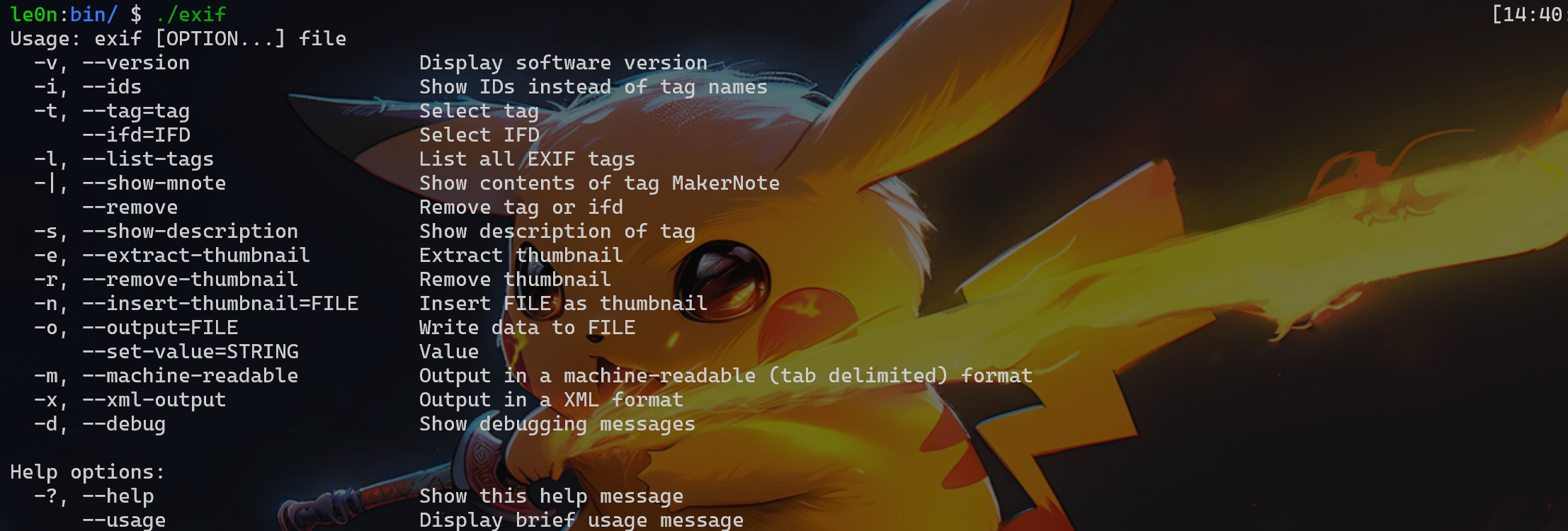
rm install cd libexif-libexif-0_6_15-release make clean CFLAGS="-g -O0" CXXFLAGS="-g -O0" ./configure --enable-shared=no --prefix=/home/le0n/fuzzing/fuzzing_libexif/install make -j$(nproc) make install
cd exif-exif-0_6_15-release make clean CFLAGS="-g -O0" CXXFLAGS="-g -O0" ./configure --enable-shared=no --prefix=/home/le0n/fuzzing/fuzzing_libexif/install/ PKG_CONFIG_PATH=$HOME/fuzzing/fuzzing_libexif/install/lib/pkgconfi make -j$(nproc) make install
# download and uncompress wget https://download.gimp.org/pub/gegl/0.2/gegl-0.2.0.tar.bz2 tar xvf gegl-0.2.0.tar.bz2 && cd gegl-0.2.0
# modify the source code sed -i 's/CODEC_CAP_TRUNCATED/AV_CODEC_CAP_TRUNCATED/g' ./operations/external/ff-load.c sed -i 's/CODEC_FLAG_TRUNCATED/AV_CODEC_FLAG_TRUNCATED/g' ./operations/external/ff-load.c
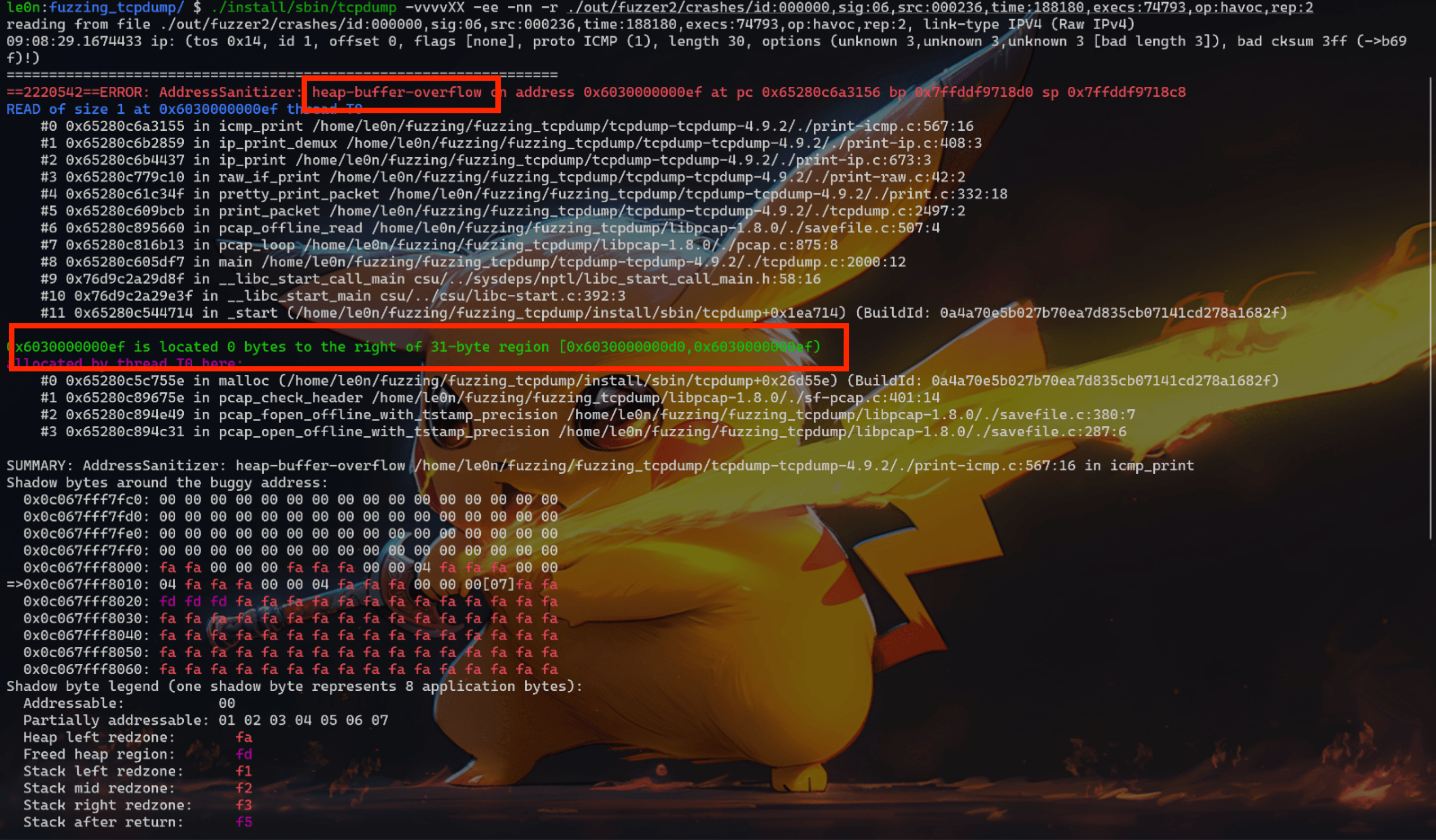
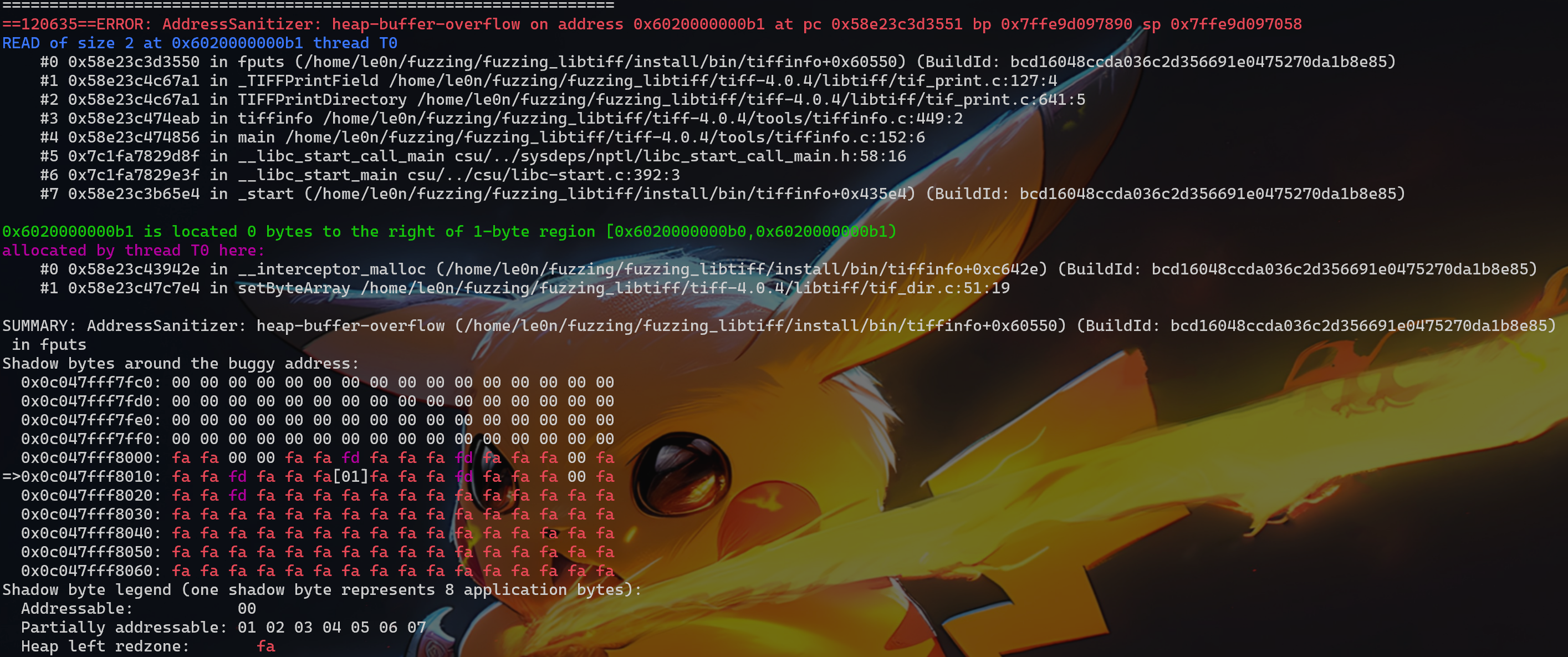
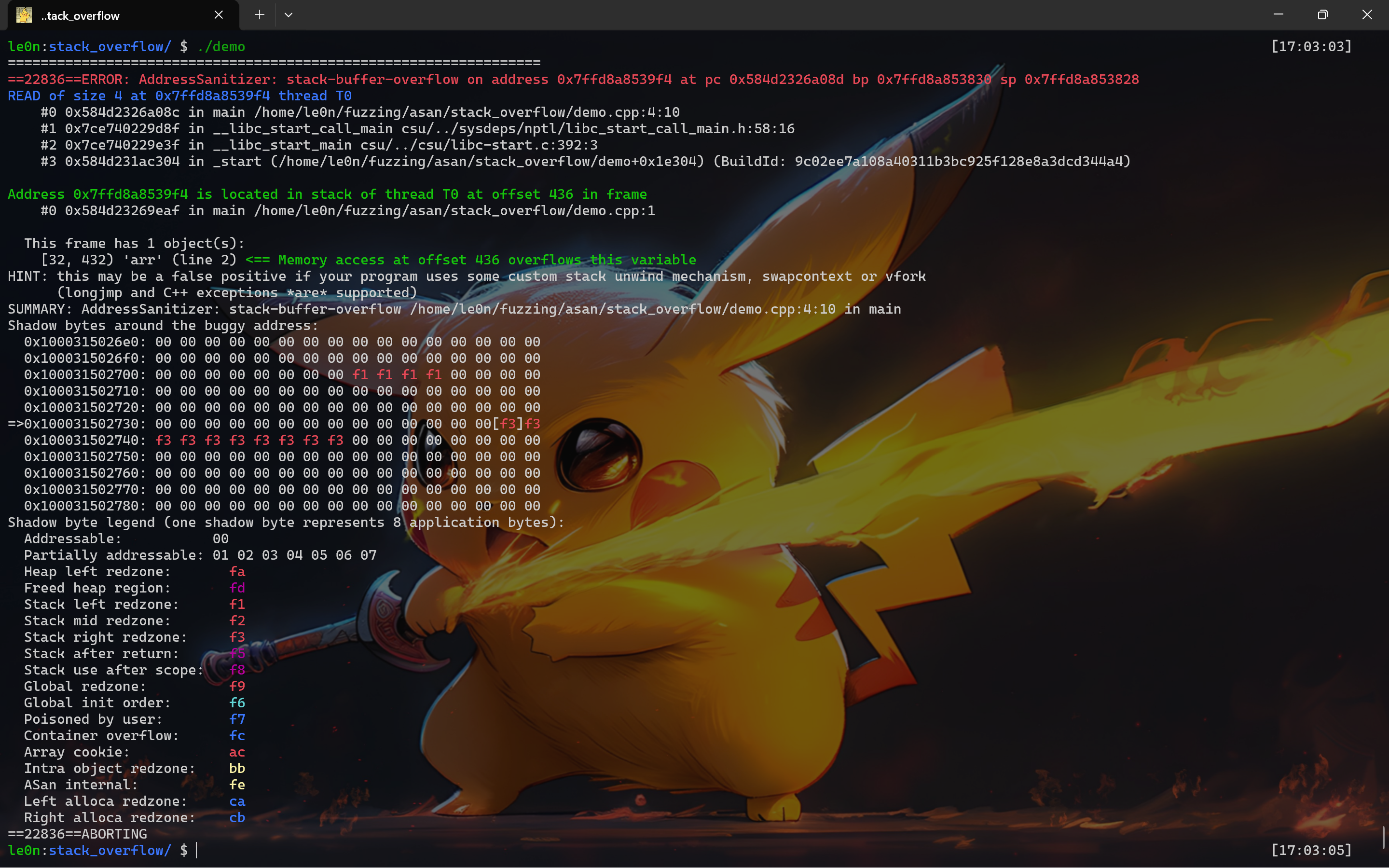
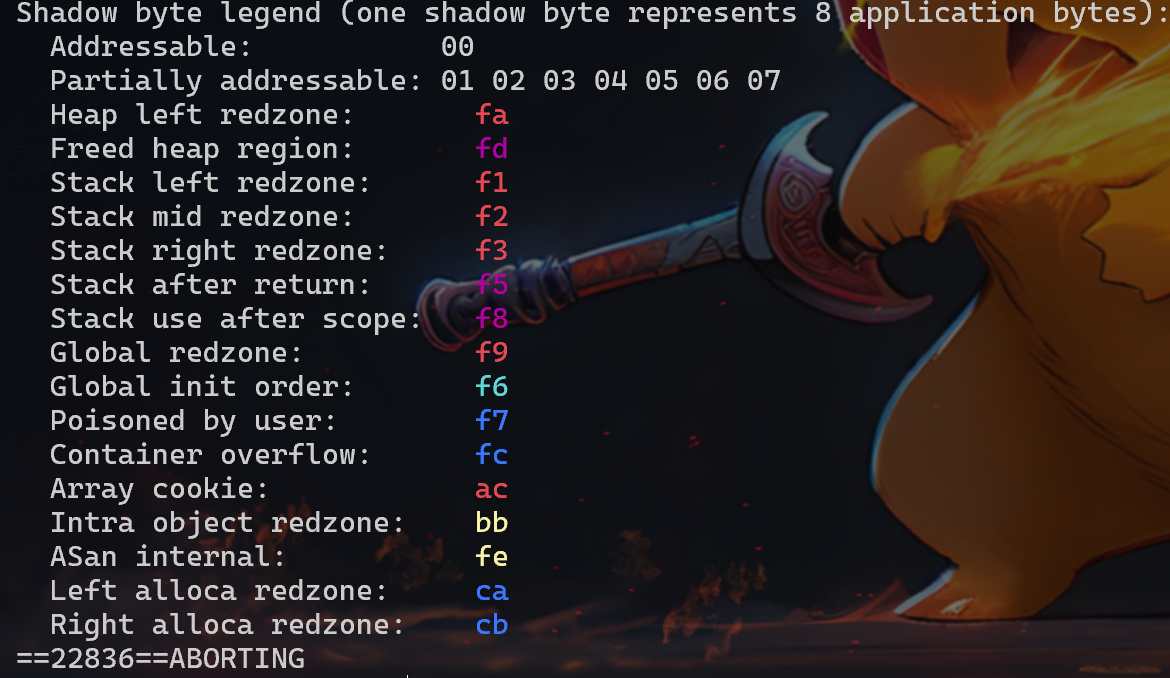
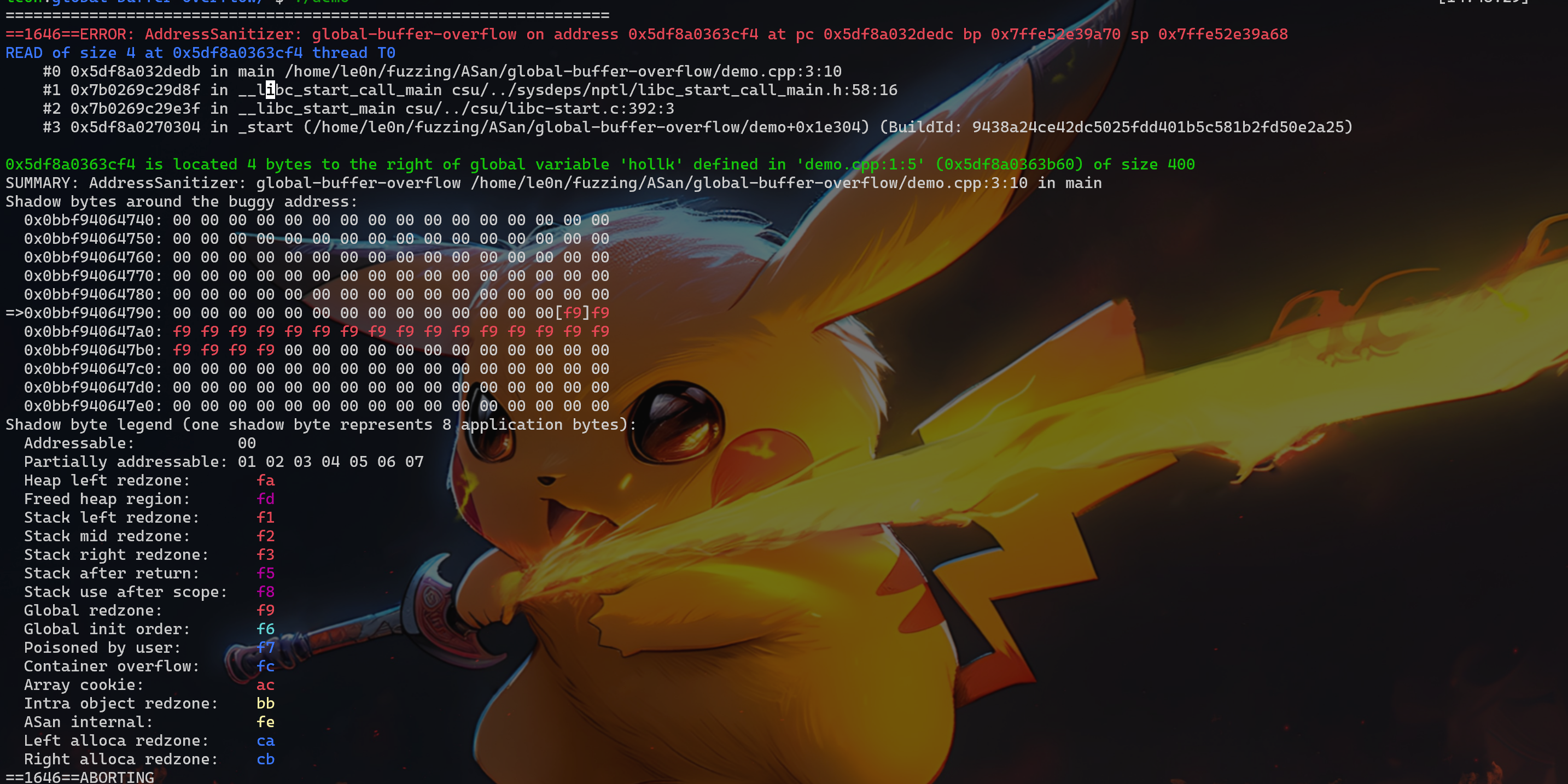
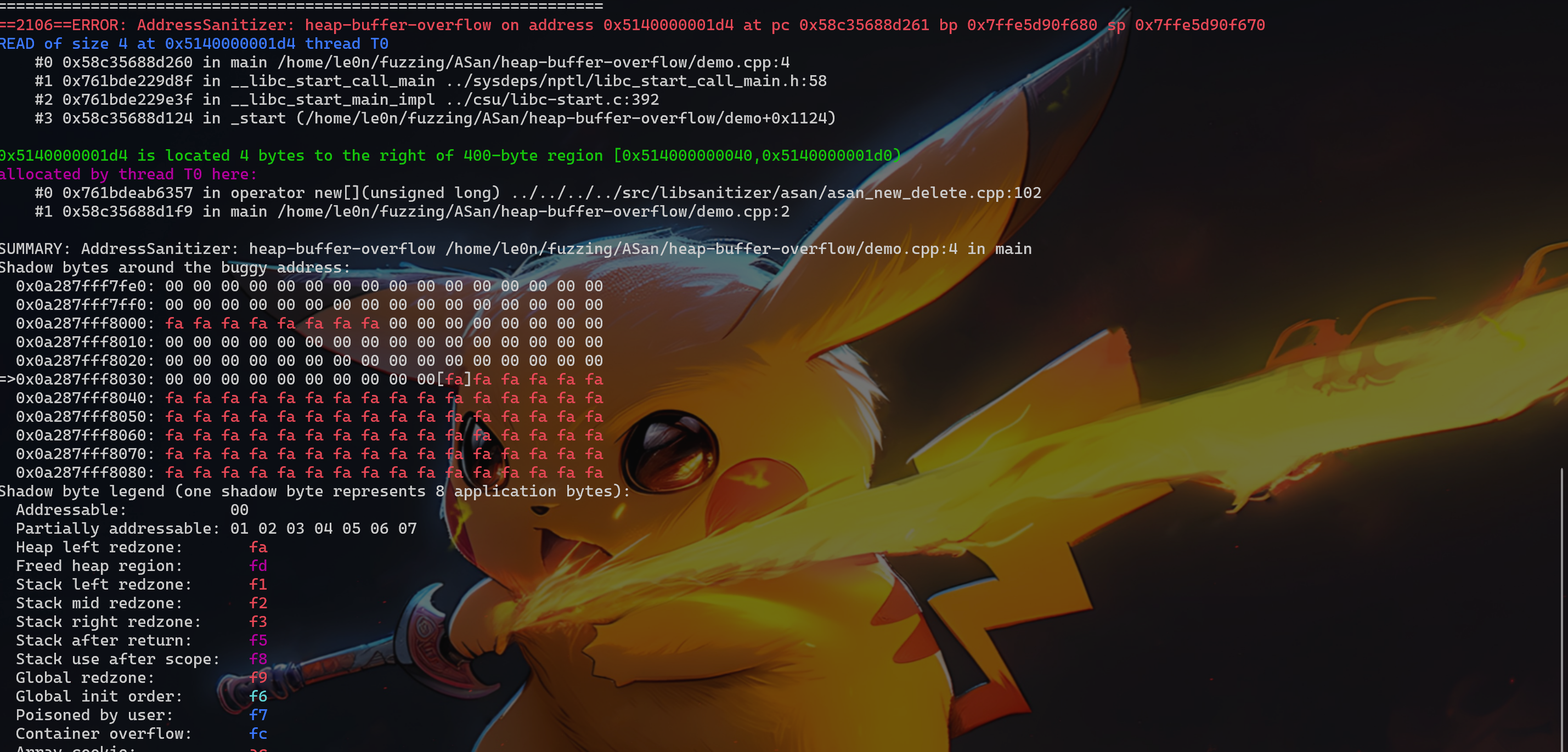
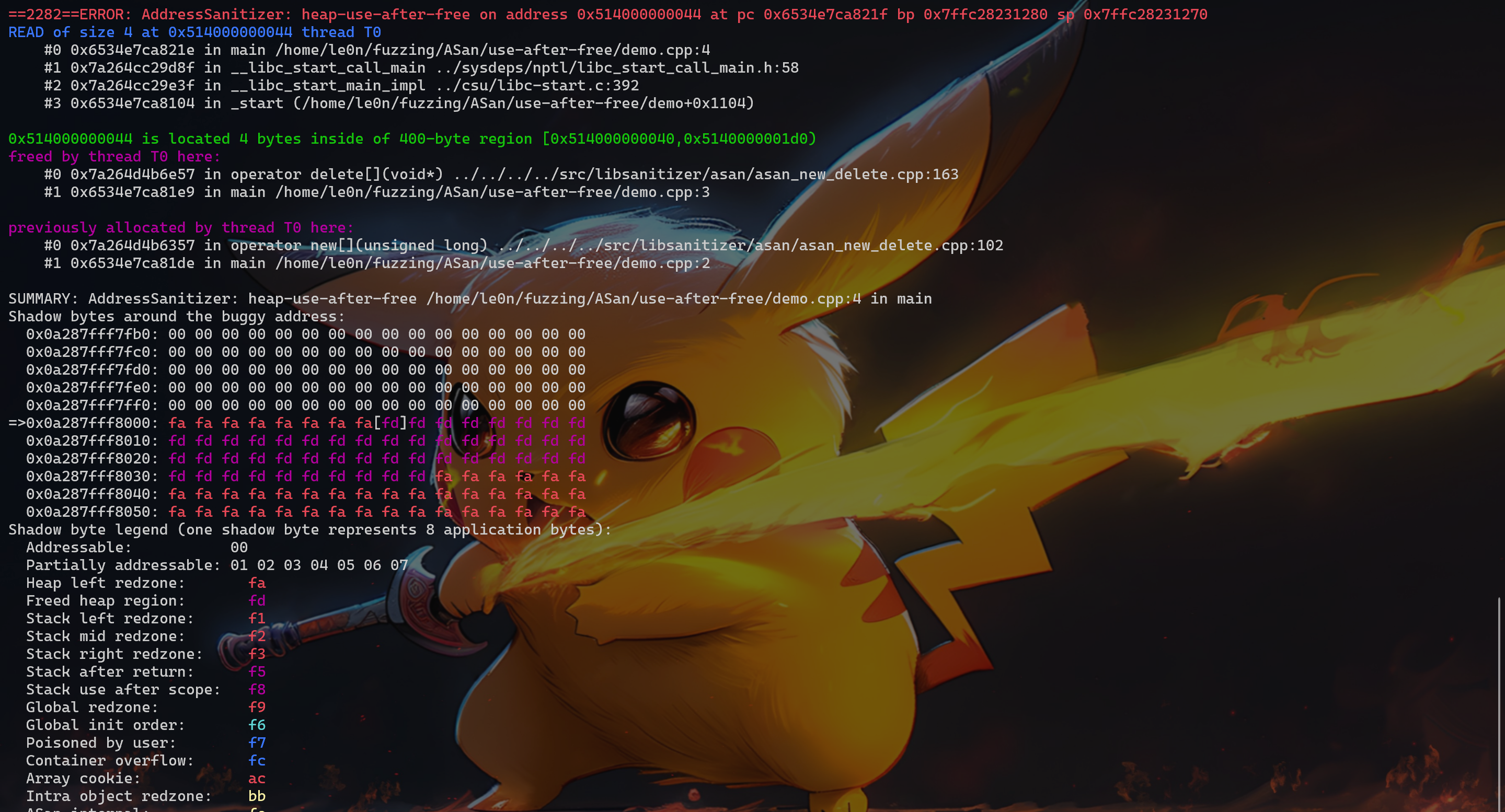
ASan 可以检测到:UAF、Heap buffer overflow、Stack buffer overflow、Global buffer overflow、Use after return、Use after scope、Initialization order bugs、Memory leak
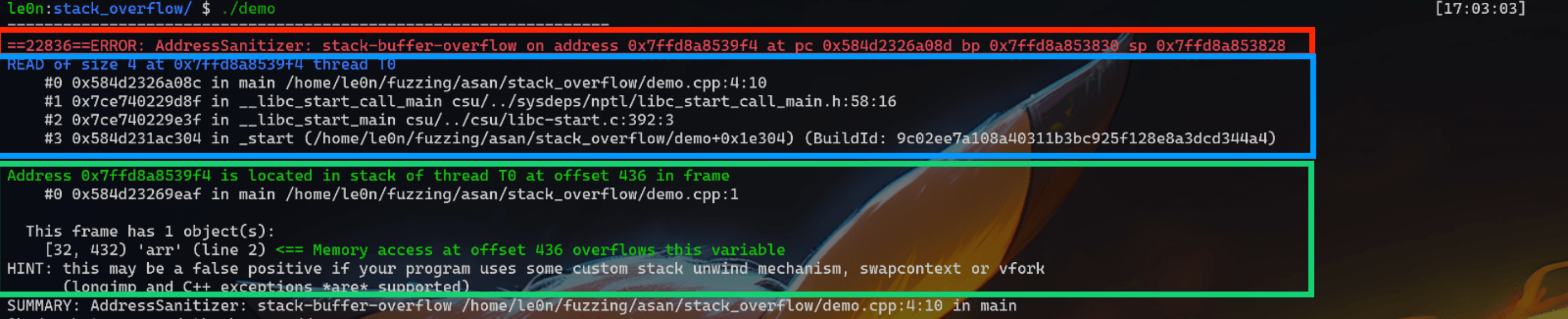
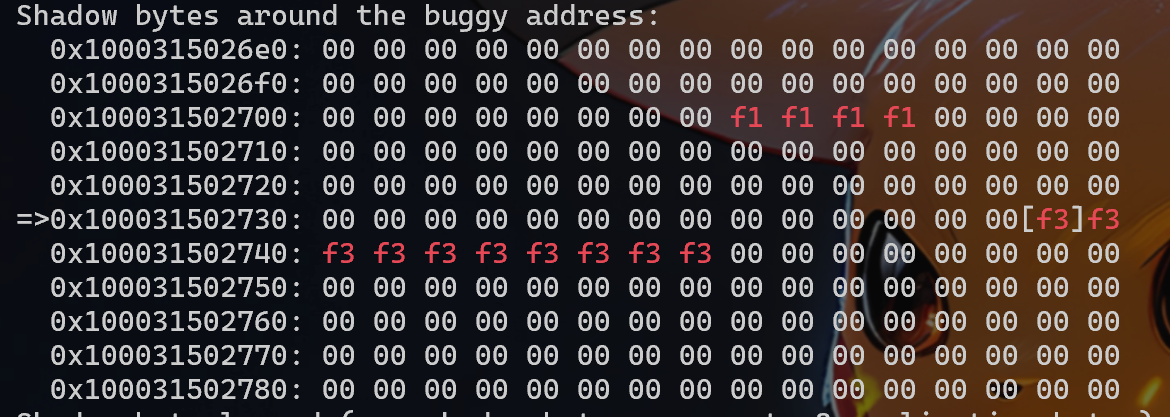
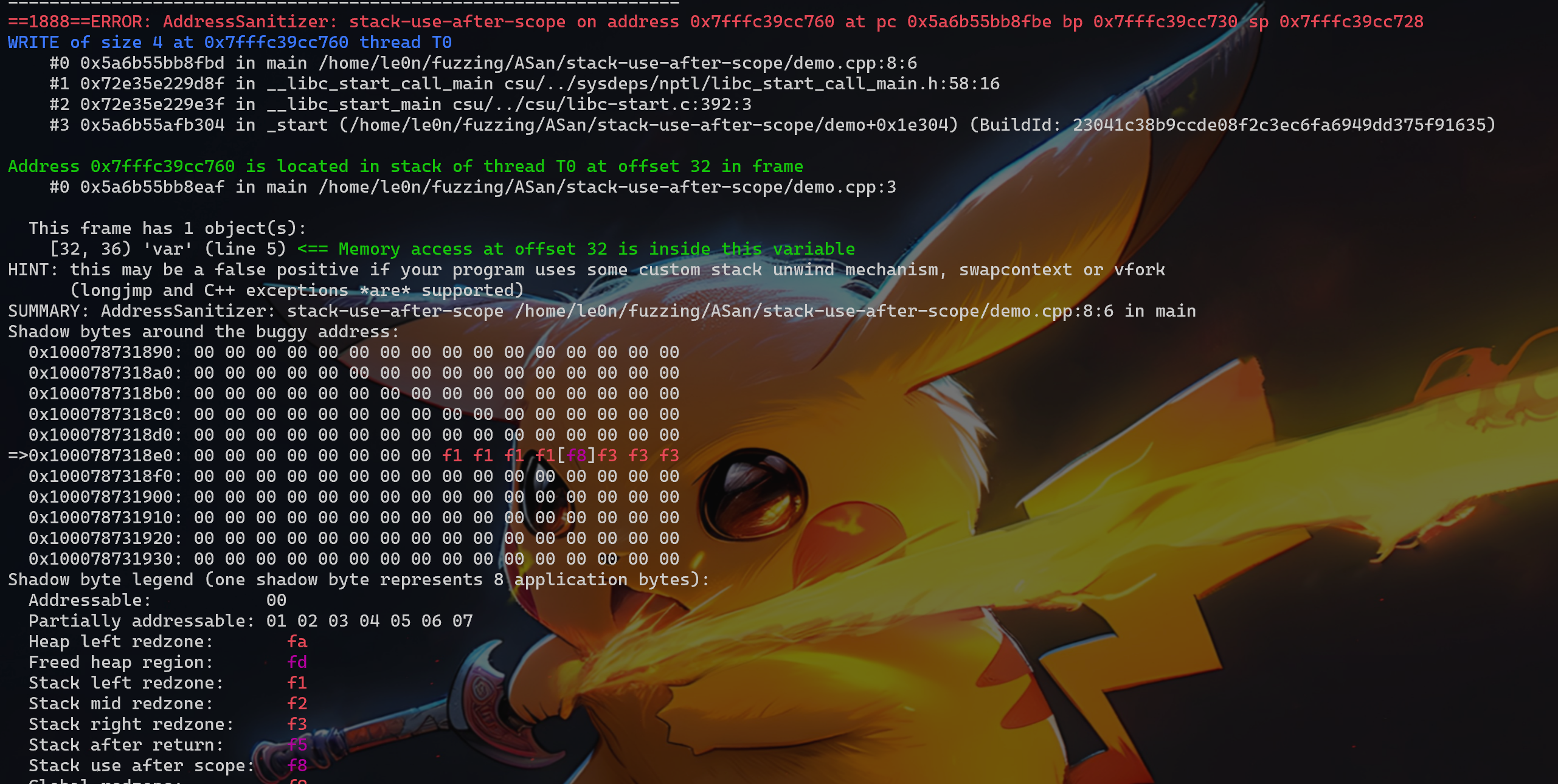
接下来会针对 UAF、Heap buffer overflow、Stack buffer overflow、Global buffer overflow、Use after return、Use after scope、Initialization order bugs、Memory leak 分别举例进行分析,重点是如何看 ASan 显示的结果。
intmain(){ { int var = 0; p = &var; } *p = 5; return0; } //clang -O -g -fsanitize=address hollk.cpp -o hollk_cpp
可以看到使用 volatile 关键字,创建 int 指针 p,并且赋值为 0。这是 volatile 的关键字是为了提醒编译器这里所创建的指针 p 是会发生变化的,编译后每一次读取或存储该指针,都将会重新进行读取操作。
举一个例子,比如说 A、B 两个线程同时读取 p 指针 0x7ffffab0 中的值 0。如果 A 线程对 p 指针修改成 0x7ffffbc0 并将其中的值修改为 2,那么 B 线程如果对 p 指针做操作时,将会重新读取 p 的地址 0x7ffffab0,并且其中的值会变成 1。
继续向下看,在 main 函数中创建了一个 int 型的变量 var,这里需要注意 var 是局部变量,并赋值为 0;此时 p 指向的地址就是 var 变量所在地址。main 函数结束后,修改 p 指针指向位置的值为 5,这里就出现了 stack-use-after-scope 漏洞,因为 hollk 本身是一个局部变量,超出 main 函数作用范围后,var 中的值发生了改变。
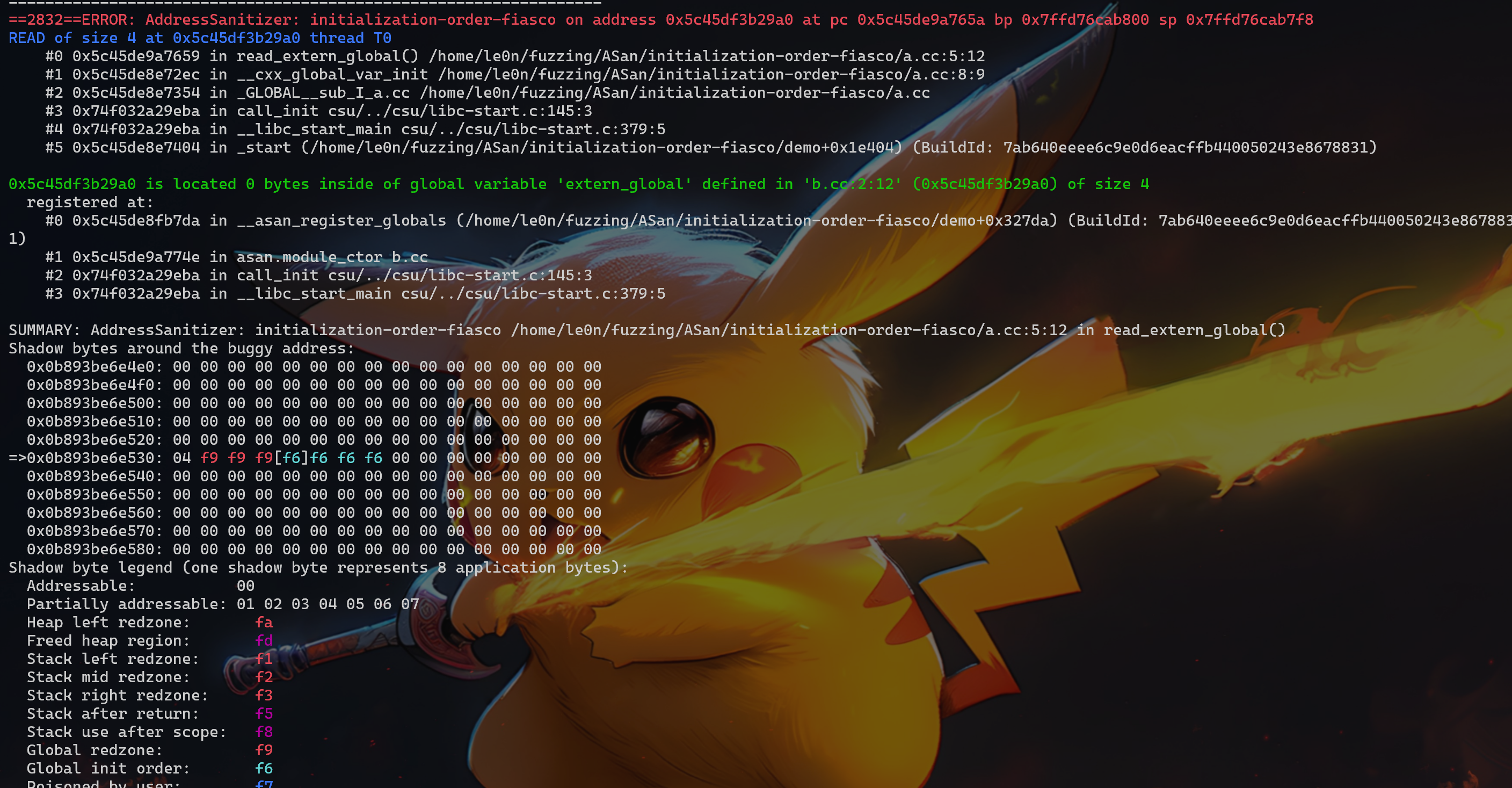
这个漏洞主要是由于变量初始化顺序导致的,静态初始化顺序失败是 C++ 程序中与构造全局对象的顺序有关的常见问题(当一个全局对象(或静态对象)的初始化依赖于另一个全局对象, 而这两个对象定义在不同的翻译单元中时,程序行为是未定义的)。未指定不同源文件中全局对象的构造函数的运行顺序,看一下两个 demo:
1 2 3 4 5 6 7 8 9 10 11 12 13 14
// a.cc #include<stdio.h>
externint extern_global; int __attribute__ ((__noinline__)) read_extern_global() { return extern_global; }